Key Takeaways
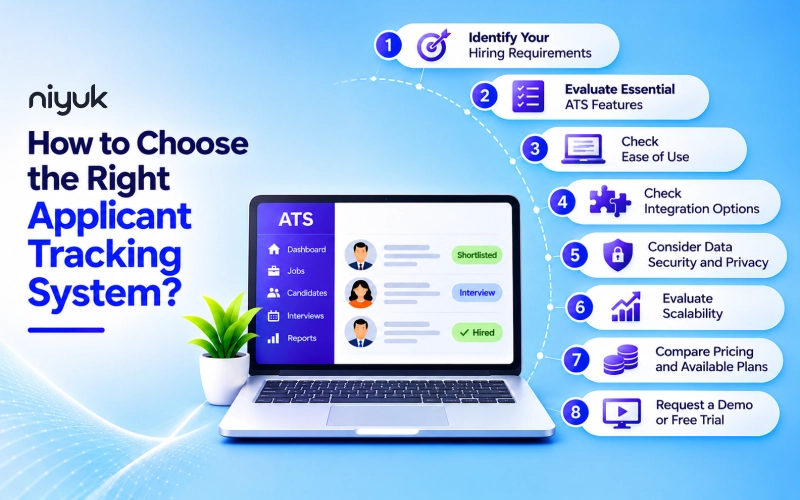
- Consider your hiring requirements, team size, number of vacancies and future recruitment needs before selecting an ATS.
- Look for essential features such as resume screening, candidate tracking, job posting and recruitment automation.
- Evaluate the software based on ease of use, integration options, security, scalability and customisation.
- Compare subscription fees, setup costs, additional charges and customer support to understand the total cost.
- Request a product demo or free trial to check whether the shortlisted software meets your requirements.
Introduction
Have you ever faced a situation where hundreds of candidates apply for one position, making it difficult to manage all their applications? Do you find yourself switching between spreadsheets and emails while reviewing resumes and scheduling interviews?
These are some common challenges recruiters face during the hiring process. As the number of applicants and job openings increases, managing recruitment manually can become difficult and time-consuming.
An Applicant Tracking System or an ATS can help simplify these activities. It allows recruiters to manage applications, track candidates and organise different stages of recruitment. However, with several ATS platforms available in the market, choosing the right one can be challenging.
An ATS that does not meet your requirements may create additional work instead of reducing it. For example, limited integration options, complicated features or high subscription costs can make recruitment management more difficult.
In this blog, you will learn how to choose the right applicant tracking system, which features to look for and what factors to consider before selecting recruitment software.
Why Is Choosing the Right Applicant Tracking System Important?
Choosing the right Applicant Tracking System helps recruiters manage job openings, monitor candidate progress and organise the recruitment process. The right recruitment software can reduce manual work, simplify candidate tracking, manage vacancies and provide better visibility into hiring activities.
For example, a small business hiring for a few positions may only need resume screening and candidate management features. However, a medium-sized organisation hiring across multiple departments may require recruitment automation, reporting and team collaboration features.
The right ATS can improve four important areas of recruitment:
- Reduces Manual Effort: Makes it easier for recruiters to manage applications, shortlist candidates and coordinate interviews.
- Improves Candidate Experience: Simplifies the application process and makes communication between candidates and recruiters easier.
- Improves Recruiter Efficiency: Reduces repetitive administrative tasks and helps recruiters focus on evaluating suitable candidates.
- Provides Better Recruitment Visibility: Helps organisations track recruitment costs, time-to-hire and the sources through which candidates apply.
For example, choosing an ATS without checking its integration capabilities may require recruiters to enter candidate details manually across different platforms. Similarly, limited reporting features can make it difficult to measure recruitment performance.
Therefore, organisations should understand their requirements and compare different applicant tracking systems before making a decision.
How to Choose the Right Applicant Tracking System?
Selecting an ATS involves more than comparing software features. You should also consider your recruitment requirements, existing tools and future hiring plans.
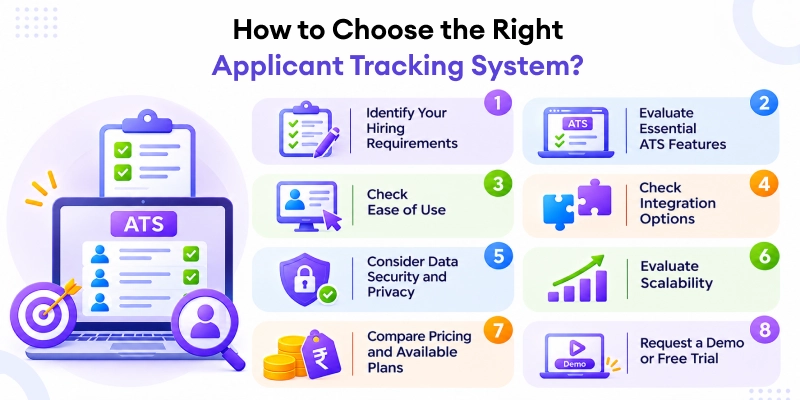
Here are eight important factors to consider when choosing an ATS.
1. Identify Your Hiring Requirements
First, understand what your organisation expects from its recruitment process. How many people do you need to hire? How many vacancies do you usually manage? How large is your recruitment team? Do you need support with application management, resume screening or interview scheduling?
It is also important to identify existing recruitment challenges, such as delays in scheduling interviews, manual resume reviews, duplicate applications and difficulties in tracking candidates.
Consider your future hiring requirements as well. Business expansion, new departments and recruitment across different locations may increase the number of applications you need to manage.
Having a clear understanding of these requirements will help you shortlist suitable ATS platforms.
2. Evaluate Essential ATS Features
The features available in ATS software influence how recruiters manage their daily hiring activities.
Some important features include:
- Resume Parsing and Screening: Extracts information from candidate resumes and helps recruiters identify profiles that match job requirements. Resume screening also makes it easier to review applications based on relevant skills and experience.
- Candidate Tracking: Helps recruiters monitor candidates at different stages of the recruitment process, from application to final selection.
- Job Posting Management: Allows recruiters to publish vacancies on multiple job boards and career pages.
- Interview Scheduling: Helps coordinate interview dates and timings with candidates and hiring managers.
- AI-Powered Recruitment Evaluation: Uses AI to analyse candidate profiles, match skills and experience with job requirements, and help recruiters identify suitable candidates. Recruiters should review AI-generated recommendations before making hiring decisions.
- Recruitment Automation: Automates repetitive activities such as application confirmations, interview reminders and candidate notifications.
- Hiring Analytics: Generates reports on recruitment metrics such as time-to-hire, cost-per-hire and application sources.
- Team Collaboration: Allows recruiters and hiring managers to share candidate information, discuss profiles and provide interview feedback.
Choose an ATS that offers the features your team actually needs rather than selecting software simply because it has the most features. You can also compare the capabilities offered by different recruitment management software platforms before making a decision.
3. Check Ease of Use
Your ATS should be easy for recruiters and hiring managers to understand and use. Complicated software can slow down recruitment activities and make it difficult for employees to adopt the system.
When evaluating ATS software, check whether the dashboard is easy to navigate and whether important activities can be completed without unnecessary steps.
Recruiters should be able to review resumes, track candidates, update application statuses and schedule interviews without difficulty.
You can also ask your recruitment team to try the software during a demo or free trial. Their feedback can help you understand whether the platform is suitable for everyday use.
4. Check Integration Options
Organisations often use different applications for recruitment and other HR activities. Therefore, it is important to choose an ATS that can connect with the systems already used by your business.
Useful integrations may include:
- Job boards and career websites
- Human Resource Management Systems (HRMS)
- Employee onboarding software
- Candidate assessment platforms
- Email and calendar applications
For example, integrating an ATS with email and calendar applications can simplify interview scheduling and candidate communication. Similarly, connecting it with an HRMS can help transfer selected candidate information into employee records during onboarding.
Check the available integration options before selecting applicant tracking system software.
5. Consider Data Security and Privacy
An ATS stores sensitive candidate information, including resumes, contact details, employment history and interview feedback. Protecting this information should be an important part of your software evaluation.
Check whether the provider offers appropriate security measures, such as:
- Data encryption
- Role-based access controls
- Regular data backups
- Secure data storage
- Data retention and deletion policies
You should also understand how the provider handles candidate information and whether its data protection practices meet your organisation’s requirements.
These checks can help reduce data security risks when comparing different recruitment software providers.
6. Evaluate Scalability
Your recruitment requirements may change as your business grows. This is why you should choose recruitment management software that can handle an increasing number of vacancies, applicants, recruiters and hiring managers.
Check whether the platform allows you to add users, manage multiple departments and customise recruitment workflows as your requirements change.
It is also useful to understand whether the software supports additional features or integrations that you may need later.
Choosing scalable software can help organisations manage changing hiring requirements without replacing the entire system.
7. Compare Pricing and Available Plans
Pricing is another important factor when choosing an ATS. Vendors may offer monthly or yearly subscriptions or provide customised quotes based on your organisation’s requirements.
Compare the available plans and check whether they include:
- Required ATS features
- Recruiter accounts and user limits
- Integration options
- Implementation and setup
- Training and customer support
Also, ask about additional charges for extra users, storage, integrations or advanced features.
Do not select software only because it has the lowest price. Compare the features, support and overall value offered by each plan to understand its total cost.
8. Request a Demo or Free Trial
Before purchasing an ATS, request a product demo or try a free trial if one is available.
A demo gives your recruitment team an opportunity to explore the software and understand how it works in practice.
During the demo, check whether you can:
- Post job openings
- Upload and review resumes
- Track candidate applications
- Schedule interviews
- Share hiring feedback
- Generate recruitment reports
You can also ask the provider to demonstrate how the software handles your organisation’s specific recruitment requirements.
Testing these activities will help you determine whether the ATS is suitable for your business.
Questions to Ask Before Choosing an ATS
Before finalising an applicant tracking system, ask the software provider a few questions to understand its features, costs and support options.
- Does the ATS support our hiring volume? Check whether the platform can manage your current number of applicants and vacancies.
- Can it integrate with our existing tools? Confirm compatibility with your HRMS, job boards, email and calendar applications.
- Does it support recruitment automation? Understand which repetitive activities can be automated.
- Can hiring managers and recruiters collaborate? Check whether teams can share candidate profiles and interview feedback.
- What is the total cost? Ask about subscription fees, implementation charges, additional users and other expenses.
- What support does the provider offer? Check whether training, technical assistance and customer support are included.
- Can the software support future growth? Find out whether you can add users, vacancies and workflows as your business expands.
- How is candidate data protected? Ask about data security, access permissions, data retention and data export options.
- What does implementation involve? Understand the setup process, data migration, onboarding and training requirements.
- What happens if we need technical assistance? Ask about support availability, response times and the process for resolving technical issues.
These questions can help you understand what the software offers and avoid unexpected issues after implementation.
How to Compare Different ATS Platforms
Once you have shortlisted a few ATS platforms, compare them using the same evaluation criteria. This makes it easier to understand which software best matches your recruitment requirements.
The following comparison table can help:
| Evaluation Criteria | What to Check |
| Features | Resume screening, candidate tracking, job posting and interview scheduling |
| Ease of Use | Simple navigation and an easy-to-understand dashboard |
| Integrations | Compatibility with HRMS, job boards, email and calendar tools |
| Pricing | Subscription fees, setup costs and additional charges |
| Security | Data encryption, access controls and data protection |
| Scalability | Ability to support increasing vacancies, applicants and recruiters |
| Customer Support | Availability of technical assistance, training and customer support |
You can assign scores to each criterion based on its importance to your organisation. For example, if integration is a major requirement, give it more weight when evaluating different platforms.
After comparing the shortlisted options, arrange product demos to check whether the software meets your expectations. This will help you make a more informed decision instead of selecting an ATS based only on its price or marketing claims.
What Mistakes Should You Avoid When Choosing an ATS?
Even after comparing different platforms, businesses can make mistakes when selecting recruitment software. Here are some common mistakes to avoid:
- Choosing Based Only on Price: Affordable software may not include the features your recruitment team requires. Compare the overall value rather than focusing only on subscription costs.
- Ignoring Ease of Use: Complicated software can make everyday recruitment activities difficult and reduce adoption among employees.
- Overlooking Integrations: Limited integration options may increase manual work and create difficulties when transferring candidate information.
- Ignoring Data Security: Candidate information needs proper protection. Always check the security measures offered by the provider.
- Not Considering Future Growth: Your ATS should support changing recruitment requirements as your organisation expands.
- Skipping Product Demonstrations: A demo or free trial helps identify software limitations before making a purchase.
Avoiding these mistakes can help you select software that supports your recruitment activities both now and in the future.
Conclusion
Choosing the right Applicant Tracking System starts with understanding your hiring requirements and comparing the available software options. Consider important factors such as features, ease of use, integrations, data security, scalability and overall costs before making a decision.
Product demos and comparison scorecards can help you evaluate different platforms and understand which one suits your recruitment process.
The right recruitment software should meet your current hiring needs while supporting future business growth. Take the time to review your requirements and test shortlisted platforms before making a final choice.
Looking to simplify your recruitment process? Explore Niyuk’s Applicant Tracking System to discover how you can organise candidate management and streamline your hiring activities.
Frequently Asked Questions
What Should I Consider When Choosing an Applicant Tracking System?
Before selecting an applicant tracking system, consider your hiring requirements, essential features, ease of use, integration options, data security, pricing and scalability. A product demo can also help you understand whether the software suits your recruitment process.
What Are the Most Important Features of ATS Software?
Important ATS features include resume parsing, resume screening, candidate management, job posting management, interview scheduling, recruitment automation and hiring analytics. Choose features based on your team’s recruitment requirements.
Is an Applicant Tracking System Suitable for Small Businesses?
Yes. Small businesses can use an ATS to manage applications, screen resumes, track candidates and schedule interviews without relying on multiple spreadsheets. A simple and affordable platform can help organise the hiring process as the business grows.
How Much Does Applicant Tracking System Software Cost?
The cost of applicant tracking system software depends on the provider, subscription plan, number of users and available features. Some providers charge monthly or yearly fees, while others offer customised pricing. Businesses should also consider implementation, training and additional charges when calculating the total cost
Should I Request a Demo Before Choosing an ATS?
Yes. A product demo allows recruiters to explore the software, test its features and understand whether it suits their hiring requirements before purchasing it.
What Features Should Small Businesses Look for in an ATS?
Small businesses should look for essential features such as resume parsing, job posting, candidate tracking and interview scheduling. Easy-to-use software, affordable pricing and integration with HRMS can also help manage recruitment activities without adding unnecessary administrative work
How Do You Compare Different ATS Platforms?
Compare ATS platforms based on features, pricing, ease of use, integration capabilities, security, scalability and customer support. Request product demos to understand how each platform handles your recruitment requirements before making a final decision.
Author