
- Home
- Desktop Employee Monitoring
Employee Monitoring and Productivity Software Helping Teams for Smart Work
Find visibility into working hours, productivity, attendance and team performance with AI-based workforce analytics. Whether employees work from the office remotely or in a setup Niyuk DeskTime helps understand how work gets done. No more relying on timesheets or scattered reports. Track attendance, monitor productivity and analyse work patterns. Empower managers with real-time insights, from one platform.
Trusted by next-generation teams






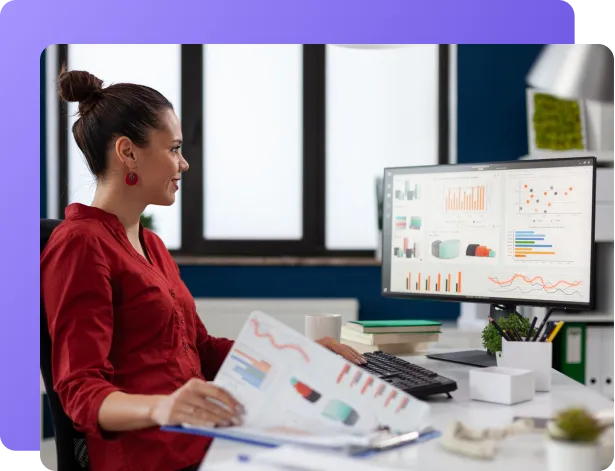
What is Niyuk DeskTime?
Niyuk DeskTime is an AI-driven employee productivity as well as time tracking solution helping businesses to monitor work hours, attendance, productivity, project time, and workforce performance from a dashboard. It offers real-time insights to improve team efficiency across office, remote, and hybrid workplaces.
Manage Productivity Without Micromanaging Your Team
Workplaces today need to know more than just who is at their desk. Managers need to see how productive people are, what their work schedule is like how time they spend on projects and if they are really into their jobs. They also need to make sure people can work in a way that’s best for them.
Niyuk DeskTime is a tool that helps with a lot of things like keeping track of employees, attendance, time and how well people are doing their jobs. It uses intelligence to figure out how productive people are. All of this is in one place that’s easy to use.
Your team does not have to waste time collecting information by hand. Niyuk DeskTime gives you a way to see what is going on right now. This helps your team do better make sure people are not too busy and make decisions, for the business.
Key Features of Niyuk’s Desktime Employee Tracking
Automatic Time Tracking
We track working hours automatically no need for employees to fill in timesheets. This way we get records of when they log in log out how many hours, they work productively and how much time they spend idle.
Work Hours
We keep records of attendance for office, hybrid and remote employees. We also sync work hours with HR processes.
AI Productivity Insights
Our AI tool helps us understand how productive employees are. It looks at work patterns, hours and finds ways to improve team efficiency.
Website & Application Usage
We see how employees spend their workday by checking which business applications and websites they use. This helps us find work habits and get rid of distractions.
Idle Time Detection
We automatically find out when employees are inactive. This gives us an idea of how much time they work, without needing manual reports.
Project Time Tracking
We measure how time employees spend on projects and tasks. This helps us plan better use resources wisely and make projects more profitable.
Productivity Dashboard
Managers get a dashboard that shows employee productivity, attendance, work hours and overall performance in time.
Team Performance Analytics
We compare team productivity trends find imbalances in workload and make smart decisions to improve efficiency.
Reports & Insights
We create reports, on productivity, attendance and activity. These reports help with workforce planning and performance reviews.
Manual Time Tracking vs Niyuk DeskTime
Organizations that recognize employees consistently develop stronger workplace cultures, improve employee engagement, and are more likely to retain top talent.
An AI-driven recognition platform helps to make appreciation intime, fair, and measurable.
| Feature | Manual Time Tracking | Niyuk DeskTime Recommended |
|---|---|---|
| Attendance | Manual entries | Automatic tracking |
| Work Hours | Timesheets | Real-time tracking |
| Productivity Reports | Manual preparation | AI-powered dashboards |
| Employee Activity | Limited visibility | Live monitoring |
| Project Time | Difficult to measure | Automatic tracking |
| Performance Insights | Assumptions | Data-driven analytics |
| Workforce Visibility | Separate reports | Unified dashboard |
Last updated: July 9, 2026
How Niyuk Desktime Time Works?
People who work for a company log in through the Niyuk DeskTime
application.
The Niyuk DeskTime
application automatically records the work hours of the employees the attendance of the employees and the activity of the employees.
The Niyuk DeskTime application uses intelligence to look at the productivity patterns of the employees the active work time of the employees and the utilization of the employees.
The managers of the company look at the dashboards. They review the productivity reports of the employees.
The organizations use the insights, from the Niyuk DeskTime application to improve the planning of the workforce the engagement of the employees and the efficiency of the operations of the company.
Why Businesses Choose Niyuk DeskTime?
Niyuk DeskTime is different from attendance software. It does not just focus on if employees are at work or not. Niyuk DeskTime helps organizations do their jobs better. It does this by looking at who’s at work how productive they are, what they are doing and using special computer programs to understand what is going on.
This helps the people in charge know what is really happening with their workers. It also helps employees know what they need to do and plan their work better. It does not matter if you are, in charge of a new company, a company that is getting bigger or a big company. Niyuk DeskTime helps you see what is going on so you can have a team that works well.
Your Entire Workforce, Visible in One Place
Here’s what your team actually sees inside Niyuk DeskTime, from the first login to the final timesheet.

The moment you open Niyuk DeskTime, you get the full picture, not a pile of spreadsheets. Filter by date range or department and instantly see how many employees are being monitored, total hours logged, average productive time per employee, and capture coverage. The org-wide productivity ring shows the productive-versus-unproductive split at a glance, while a live trend line reveals exactly when your team is in flow and when engagement dips, day by day, so managers spot patterns instead of guessing at them.

Niyuk DeskTime quietly tracks which applications and websites employees spend their time in, then sorts them into productive and unproductive buckets, so you see at a glance that your team lives in Chrome, VS Code, and Teams, while a handful of distractions like chat apps or idle mouse movement eat into real output. Right alongside, leaderboards surface your top-performing employees and flag where unproductive time is creeping in, no self-reported timesheets required.

Roll activity up by team or department and compare productivity side by side, IT, Development, Testing, Design, and beyond, so you know exactly where performance is strong and where it needs attention. Paired with real-time block violation tracking, managers get an instant view of policy breaches, which apps trigger them most, and which employees need a check-in, all without combing through logs by hand.

For teams that need more than metrics, Niyuk DeskTime captures periodic screenshots alongside the app or file being used at that moment. It’s a lightweight, timestamped record of the workday, useful for verifying activity, resolving disputes, or simply confirming that reported hours match real work, without hovering over anyone’s shoulder.

Productivity data doesn’t live in a silo. Every logged hour flows into a weekly timesheet, broken down by project and activity, compared against expected capacity, and ready to submit for approval. What starts as an automatic activity log ends as a clean, billable timesheet, closing the gap between monitoring and payroll.
Built for Every Industry
Customer Testimonials
“Niyuk Hr Cut payroll processing time by 90% for Applikon IT Solutions Pvt.Ltd.”
Ready to Build a More Productive Workplace?
Support your teams to work smart with AI-driven workforce insights, automated attendance tracking, and productivity analytics—all from one platform.
Frequently Asked Questions
Got questions? We’ve got answers. Here’s everything you need to know about getting started with Niyuk.
Does Niyuk DeskTime only monitor employee activity?
No. Niyuk DeskTime combines employee monitoring with attendance tracking, productivity analytics, work-hour management, and AI-powered insights. Instead of focusing only on employee activity, it helps organizations understand work patterns, improve team efficiency, and make informed workforce decisions while supporting a transparent and productive work environment.
Can Niyuk DeskTime support remote and hybrid teams?
Yes. Niyuk DeskTime is designed for office, remote, and hybrid workplaces. Managers can monitor attendance, work hours, productivity, and project time from one centralized dashboard, ensuring teams stay connected while maintaining flexibility regardless of where employees work.
How does AI improve workforce productivity?
AI analyses work patterns, productive hours, attendance trends, and employee activity to provide meaningful insights instead of raw data. These analytics help managers identify improvement opportunities, optimize workloads, support employee performance, and make better operational decisions based on real workplace information rather than assumptions.
Can Niyuk DeskTime integrate with HR and payroll systems?
Yes. Niyuk DeskTime can integrate with HRMS, attendance, payroll, and workforce management systems. This helps organizations maintain accurate employee records, streamline attendance processing, reduce manual data entry, and simplify administrative tasks across different business functions.
Is employee data secure in Niyuk DeskTime?
Yes. Niyuk DeskTime is designed with security and privacy in mind. Employee activity, attendance, and productivity information are securely managed with controlled access, helping organizations maintain confidentiality while ensuring workforce data is available only to authorized users.